ArrivalesX7 Slot Image Guide for One Tile or a Group
An ArrivalesX7 slot image is seen at two different scales. On the map, a visitor may only notice a small shape or a contrast between colours. After opening the profile, the same person can look more closely. Choose one detail that should be recognisable at both scales and build the composition around it.
Sketch the tile shape before you crop the picture. Use a square draft for one tile, a wider draft for two horizontal tiles, or a square with guides for a two-by-two group. The five steps below help you decide between a single image and a group of separate images, then test the artwork before you share the public link.
On this page
1. Choose an ArrivalesX7 slot image layout
The ArrivalesX7 FAQ describes the options for different images and for combining adjacent tiles into a larger display. Use the current map and claiming guide to confirm the selection you intend to use. Prepare a design draft for the arrangement before relying on any particular crop or upload behaviour. ArrivalesX7 FAQ on combining tiles · How to claim an ArrivalesX7 slot
| Layout to sketch | Canvas proportion | Good starting point |
|---|---|---|
| One tile | 1:1 square | One portrait, symbol or clearly recognisable object |
| Two horizontal tiles | 2:1 wide | A subject with room on one side for a supporting detail |
| Two vertical tiles | 1:2 tall | A vertical subject or an image with clear top-to-bottom movement |
| Four tiles in a 2 × 2 square | 1:1 with two centre guides | One composition with a clear focal point and room around the seams |
| A group of separate images | One square draft per tile | Related subjects linked by colour, framing or a repeated motif |
These are design proportions for planning from square tiles. Follow the current upload controls for the actual file requirements. If the exact tile arrangement is still undecided, prepare a square ArrivalesX7 slot image and keep the uncropped source so you can make a wider or taller version later.
For a working sketch, choose a convenient square size in your image editor. A 1,200-by-1,200-pixel sketch for one tile would translate to 2,400 by 1,200 for two horizontal tiles at the same draft scale. This is a design example. Use the upload limits and previews shown by ArrivalesX7 when preparing the final file.
2. Pick a focal point that survives the map view
Decide what a visitor should recognise first. For a person, that could be a face or a strong silhouette. For a team, it might be a distinctive symbol. For an artist, it could be one clear part of a work. Leave the full explanation to the public profile, where names, descriptions and links can remain readable.
Try a hypothetical photographer’s ArrivalesX7 slot image. The original landscape includes a small figure in the middle and wide scenery. At thumbnail size, the figure becomes hard to see. A tighter crop places the figure against a simple background with enough contrast to hold the eye. Keep the full landscape for the portfolio where viewers can inspect it at a larger size.
Use a rough small-size test while you work. Reduce the draft on your screen, look away and look back. Write down the first thing you notice. If another part of the image consistently attracts attention, change the crop or reduce background detail until the main subject is easy to find.
Try two versions side by side. In the first, place the subject in the centre with enough contrast to separate it from the background. In the second, shift it away from the planned join and keep the same background. Shrink both drafts. Choose the ArrivalesX7 slot image whose main feature remains clearer at the smallest size.
3. Use tile seams as composition guides
Draw temporary guides where the tiles meet. A face, logo letter or fine feature can become harder to recognise if it lands on a join. Move important details into a clear area of the image and let a broader shape, a band of colour or a texture cross the seam. Check the artwork once with the guides and once after hiding them.
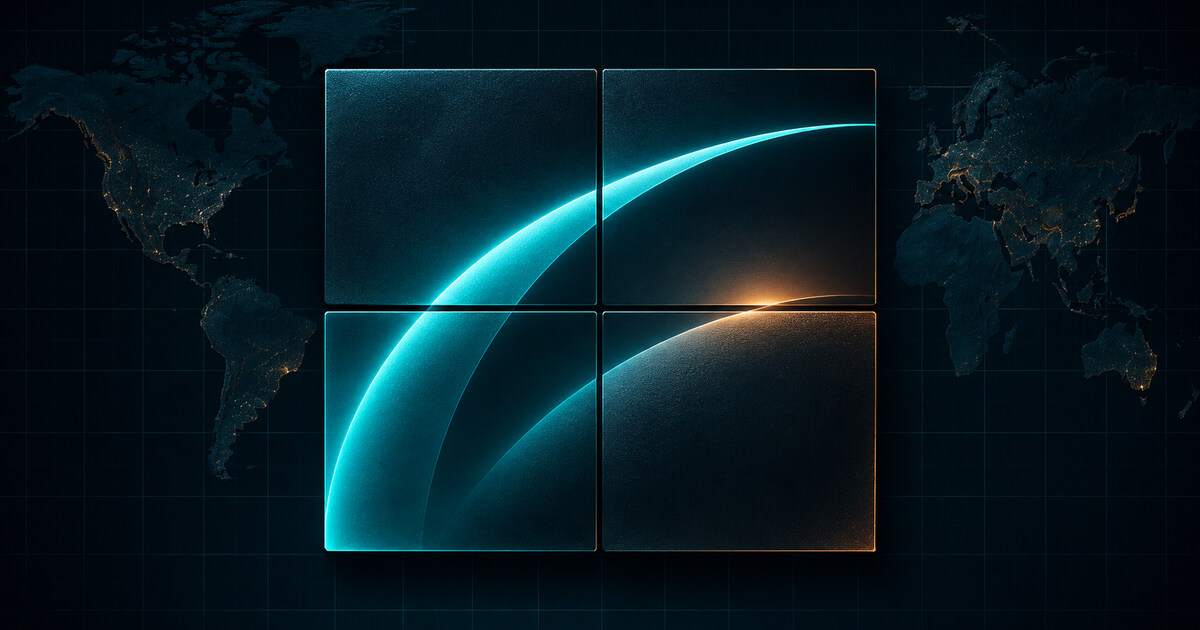
For a two-by-two design, test where the central vertical and horizontal guides intersect. Place a critical feature away from that point. In the illustration below, a broad cyan arc crosses the joins and stays readable because its shape is larger than the seam. The same principle can help you plan an ArrivalesX7 slot image with a sweeping landscape or a simple abstract mark.

When each tile carries its own image, give every image a subject that makes sense on its own. Repeating a border, background tone or crop style can connect the images without requiring the visitor to view all of them in order.
For example, a studio showing four types of work could use one photograph per tile and keep the same crop style. A team using one symbol across four tiles could place the symbol in one quadrant and let a field of colour continue across the others. The first layout lets visitors recognise separate subjects. The second uses the combined space for a single visual.
4. Compare the map preview and the profile view
Review the artwork at a few sizes. Start small enough that you cannot rely on fine text, then open the design at its working size to look for a crop that cuts into the subject. Leave space around important details. If one image needs two different crops to work well, save a separate version of each and record which one you intend to submit.
- At map scale. Check that a visitor can pick out the main shape and distinguish it from the background.
- At the tile edges. Inspect the joins and check the subject does not sit against a crop boundary.
- At profile scale. Confirm that the image, display name and short description refer to the same person, project or organisation.
- On a phone. Open the public profile without signing in once the listing is available. Check what is visible and that the linked destination works.
Where the interface lets you provide a text alternative, describe what the image contributes in its context. A description such as “cyan arc crossing four joined tiles” helps a reader understand the visual. Keep essential business names and descriptions in readable page text too. W3C guidance on informative images
Ask someone unfamiliar with the artwork to open the preview for a few seconds and describe what they saw. If their first impression is different from the one you intended, find out which part they noticed instead. Small changes to the crop, background or placement can solve that without replacing the original artwork.
5. Prepare the final ArrivalesX7 slot image and its details
Keep the source artwork, the selected crop and a short note on the tile arrangement. Give each file a name that identifies its use. For example, a square single-tile version and a wide two-tile version should be easy for another member of your team to tell apart. Keep the description and profile link beside the chosen file so the next person has the whole context.
Keep one approved version of the ArrivalesX7 slot image alongside a copy of the uncropped source. When you change the image later, compare the live profile with the approved version and confirm which tile arrangement is still in use. That gives a teammate a simple way to review the update.
Check that you have rights to use the artwork and that anyone shown has the relevant permissions where needed. The platform terms describe the responsibilities for submitted content and explain that new listings and certain edits are reviewed. Use the claiming guide for the platform steps and check the preview available at the time of submission. ArrivalesX7 terms on submitted content
Before sharing the public link, open it from a signed-out phone and compare it with the map view. The final ArrivalesX7 slot image should make the intended subject recognisable, while the public profile gives visitors enough context to decide where to go next. Explore the ArrivalesX7 map
Frequently asked questions
Can I use a different image on each tile?
The ArrivalesX7 FAQ describes both separate images and merging adjacent tiles into a larger image. Check the current selection and controls for your arrangement, then plan whether each tile needs its own focal point.
What should I do if my image looks good at full size but unclear on the map?
Use a tighter crop, simplify the background or strengthen contrast around the main subject. Test the revised ArrivalesX7 slot image at a small size before changing the full profile presentation.
Should I put my website address inside the picture?
Keep the working link on the public profile where a visitor can use it. If text is part of the artwork, test its readability at tile scale and repeat essential information in the page’s visible text.